Start here
A list of budget categories, with examples
Home, food, getting around, health, family and fun: the budget categories most households need, what goes in each one, and why to start with about ten.
A budget category is a label for what your money was for, like groceries, rent or gas. Every purchase gets one. At the end of the month you add up each label, and you can see where your money went.
The hard part is picking the list. With too few labels, everything ends up in “Shopping.” With too many, you spend more time sorting than you save.
Why it matters
Your bank statement is a list of store names in the order you visited them, which doesn’t tell you much. Categories turn it into an answer, like “we spent $640 on food last month, and $260 of it was takeout.”
They also let you compare one month with the next. If groceries are always their own category, you can watch them go up in December and back down in January. That only works if the names stay the same.
And categories are what a budget is built on. You can’t set a limit for eating out until eating out has a category of its own.
Where most people’s money goes
A few categories take up most of the money. In 2024 the average U.S. household spent $78,535, according to the Bureau of Labor Statistics. A third of that went to housing, about 17% to getting around, and about 13% to food. More of the food money went to groceries than to eating out. Together, those three made up more than 60% of all spending. Your own numbers will be different, but those are the categories to set up first.
A starter list
Most people need something close to this list. It’s a lot like the one on the Consumer Financial Protection Bureau’s budget worksheet. You don’t need every line, and you can rename anything.
Home
- Rent or mortgage
- Utilities: power, gas, water, trash
- Phone and internet
- Renters or homeowners insurance
- Repairs and supplies
Food
- Groceries
- Eating out, including takeout and coffee
Getting around
- Car payment
- Gas and charging
- Car insurance
- Car repairs and registration
- Bus, train and rideshare
Health
- Health insurance you pay for yourself
- Doctor, dentist and eye care
- Prescriptions
Family and pets
- Childcare
- Kids’ activities and school costs
- Pet food and vet bills
Personal
- Clothes and shoes
- Haircuts and personal care
- Gifts and donations
Fun
- Streaming and other subscriptions
- Hobbies and going out
- Travel
Everything else
- Bank fees and interest
- Other
Keep the list for money coming in short: your paycheck, any side work, and interest. A refund doesn’t need an income category. It goes back into the category you spent it from, as how to track your spending explains.
How to pick your categories
1. Start from your own statements
Look at a month or two of real spending before you choose. A list copied from somewhere else will have categories you never use and miss some you need.
2. Start with about ten
You can always add more later. Ten labels are easy to keep up with. Thirty make every receipt a decision.
3. Split a category when it’s hiding something
“Food” works fine until you want to know how much of it is takeout. That’s when to split it into Groceries and Eating out. If you never wonder, you don’t need the split.
4. Decide the tricky ones once
One trip to a big store might be food, cleaning supplies and a shirt. A phone bill might be personal or for work. Choose a rule the first time and stick to it, so the same thing lands in the same place every month.
5. Leave transfers out
Paying your credit card or moving money into savings isn’t spending. If you give it a spending category, you’ll count the same money twice.
6. Keep an eye on “Other”
A little in Other is fine. If it becomes one of your biggest categories, something in there deserves its own name.
7. Group them for the big picture
Ten categories are easier to read as three or four groups, like Home, Food and Fun. You can then budget a whole group at once, or each category in it.
How to do it in Simple Balance
You don’t have to set up categories first. Type a new name in the category box when you add a transaction, and Simple Balance creates it. Bring in a bank file that has a category column, and those names come in too.
When you type a new category name on a deposit, the form asks what kind of money it is. Choose Money you earned for pay. Choose A refund of money you spent for a refund, so it lowers your spending instead of counting as income.
Set them up ahead of time
Open Categories. In the form for a new category, type a Category name and choose what it Applies to: Expense, Income, or Income or expense. Then press Add category.
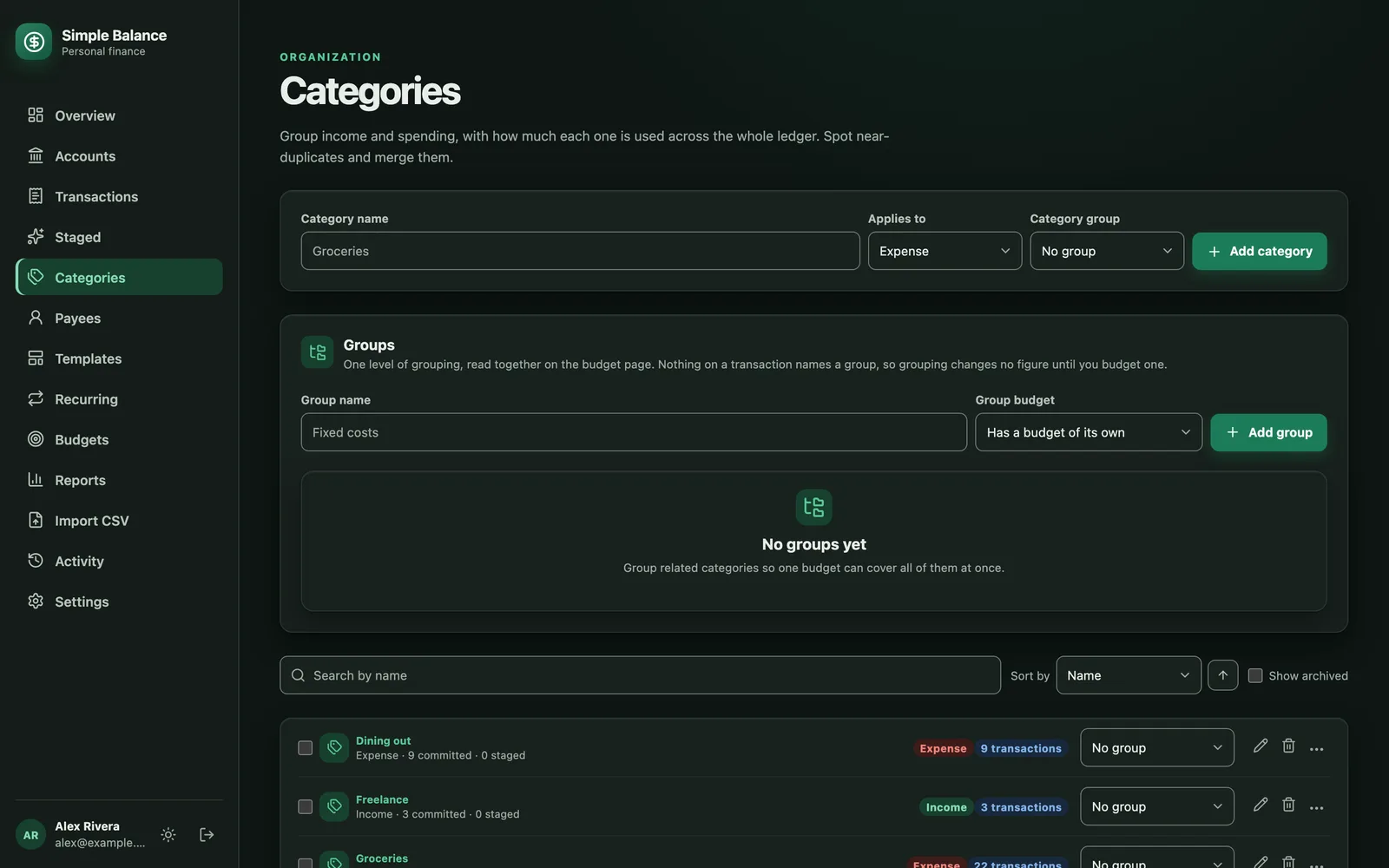
The money in this picture is made up. It’s the real product, filled with example spending.
Make groups
On the same page, type a Group name and press Add group. You’ll also choose how the group is budgeted. Has a budget of its own means one number for the whole group. Adds up its categories’ budgets means you budget each category inside it, and the group shows the total.
Then use the group picker on each category’s row to put it in a group. Moving a category changes the group’s totals for past months too, so you can rearrange your groups whenever you like.
Clean up
If you end up with two categories for the same thing, like Dining and Eating out, check the box next to each on Categories. Choose the one to keep and press Merge. Every transaction moves to the one you kept.
To change the category on lots of purchases at once, go to Transactions, check the rows, and change them together. When one receipt covers two categories, press Split across categories in the transaction form and give each part its own amount.
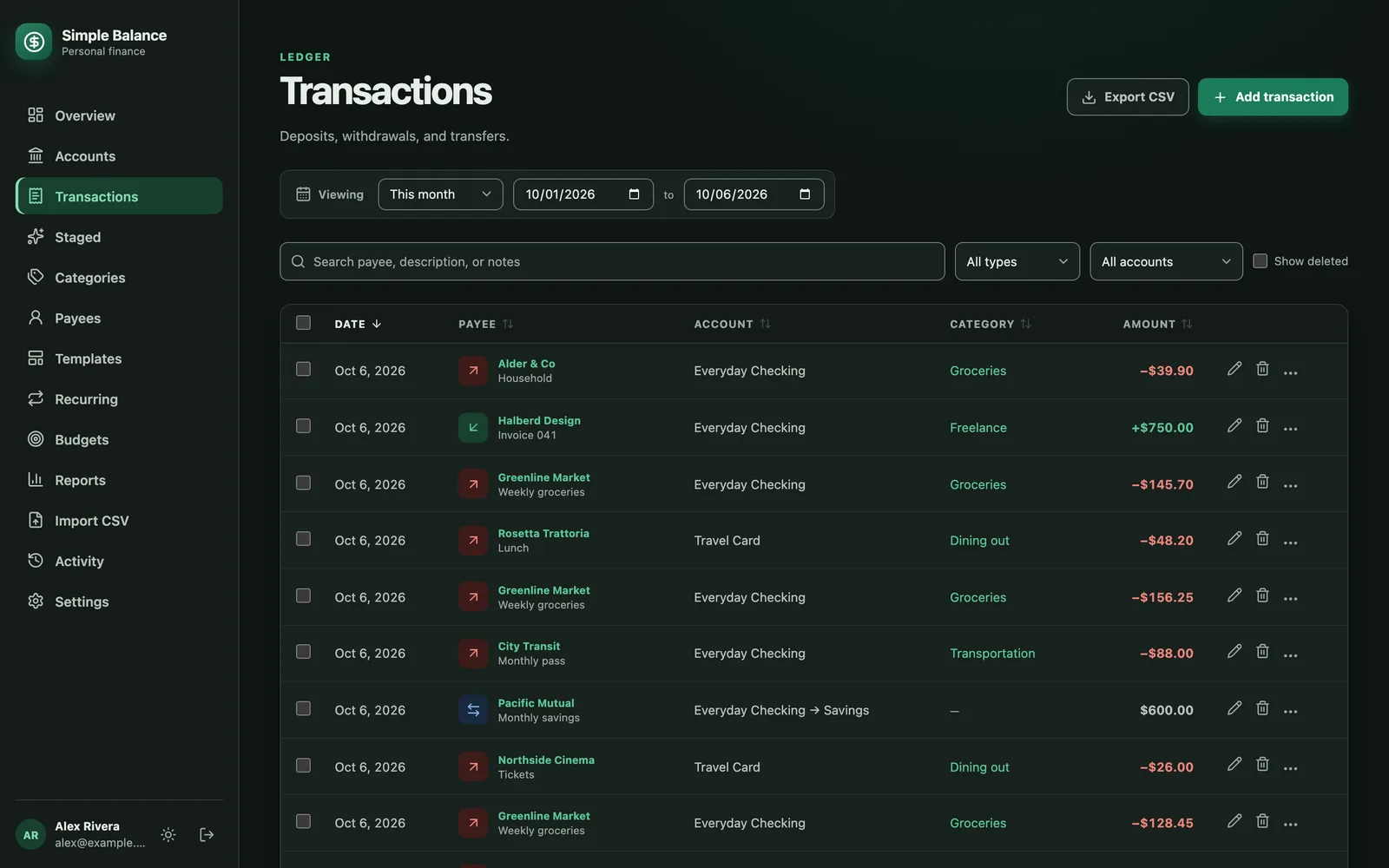
The money in this picture is made up. It’s the real product, filled with example spending.
A category you’ve stopped using can be archived from its row. It leaves the list, but its history stays. Turn on Show archived to see it again.
See where the money went
Overview shows spending by category for any dates you pick. The Categories report under Reports goes into more detail. Transfers between your own accounts don’t show up in either, because they don’t have a category.
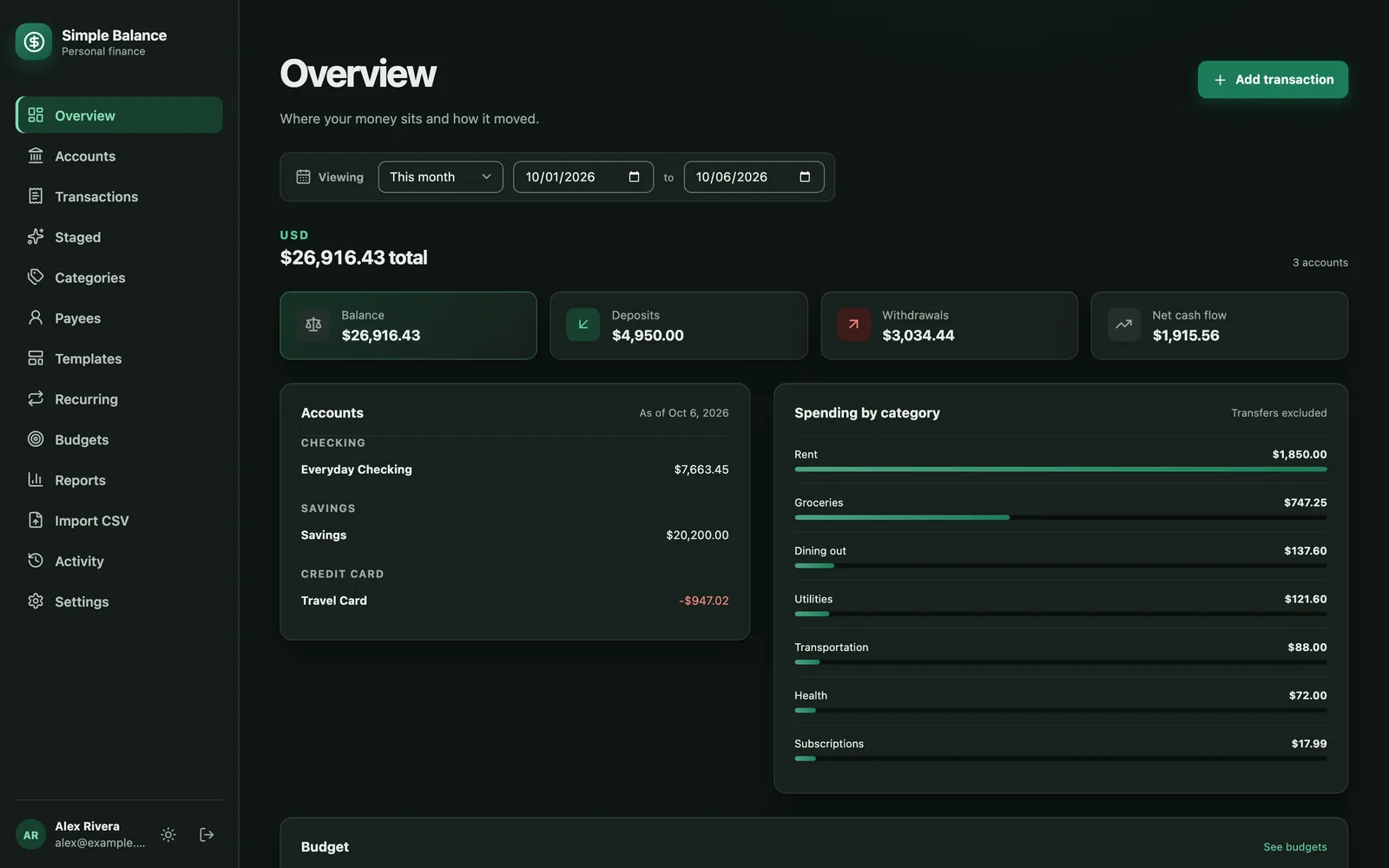
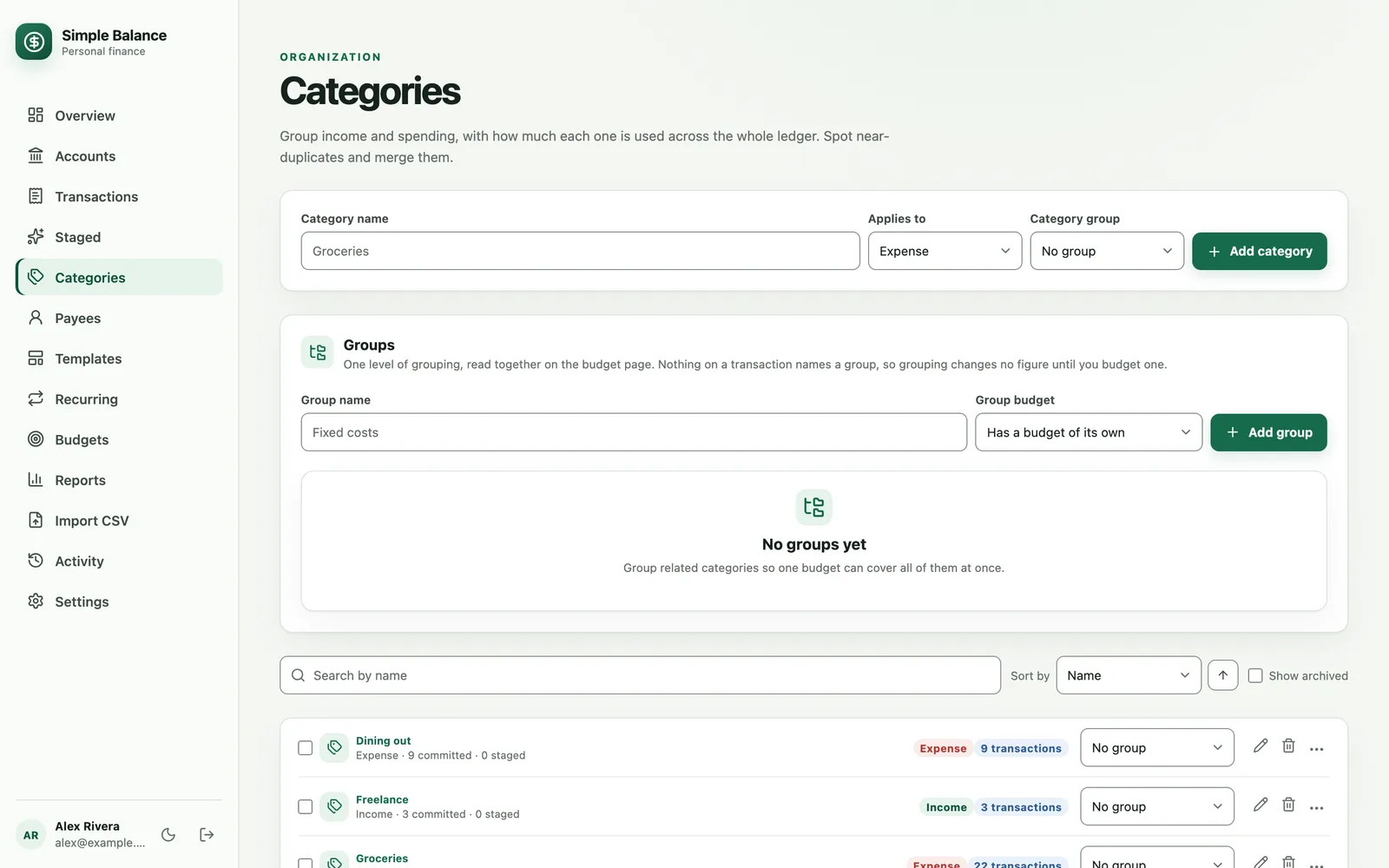
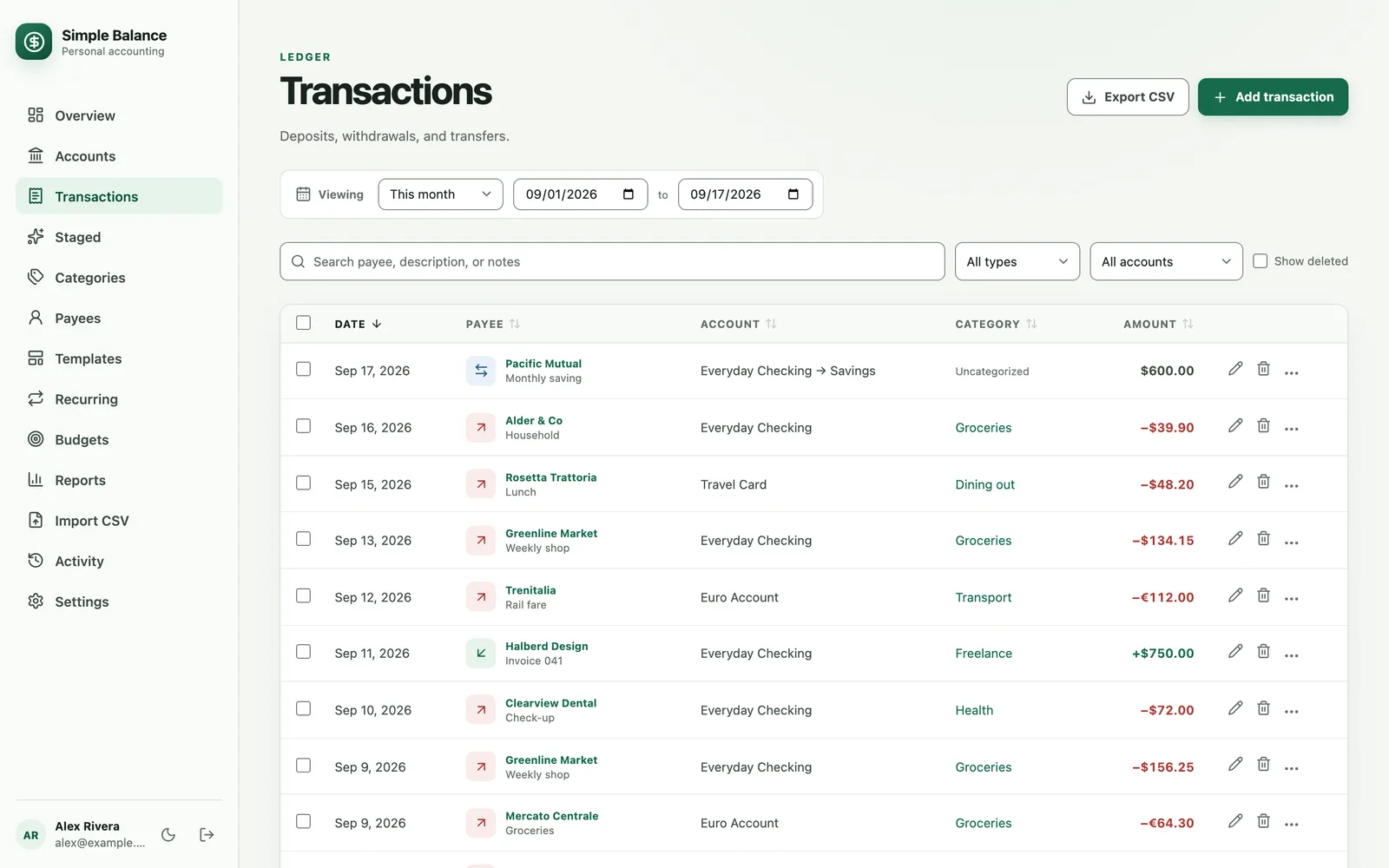
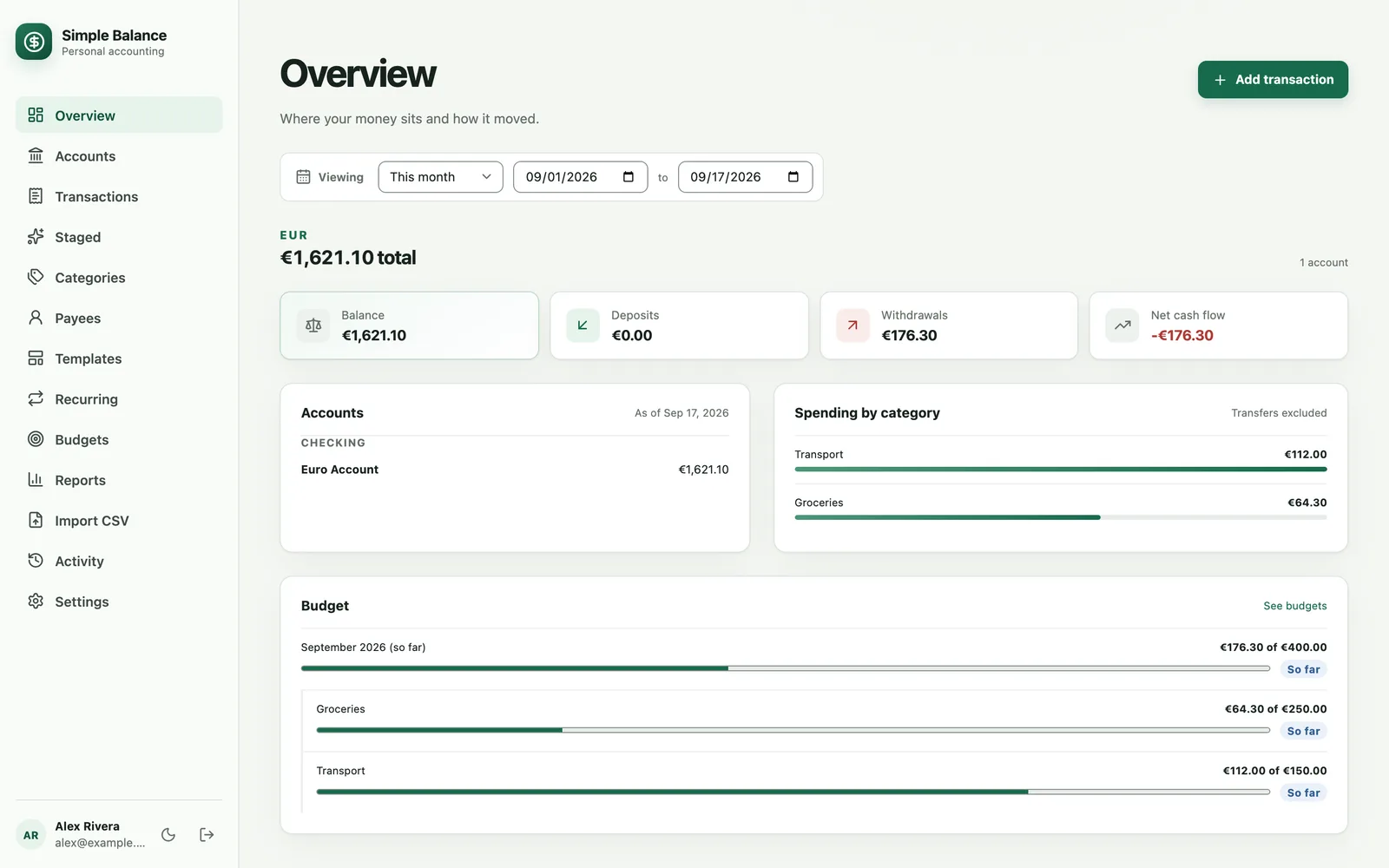
The money in this picture is made up. It’s the real product, filled with example spending.
Once your categories feel right, make a budget from them.
Sources
- U.S. Bureau of Labor Statistics. Consumer Expenditures, 2024. News release, December 19, 2025.
- Consumer Financial Protection Bureau. Monthly budget worksheet.